10.1-inch tablet enclosure design
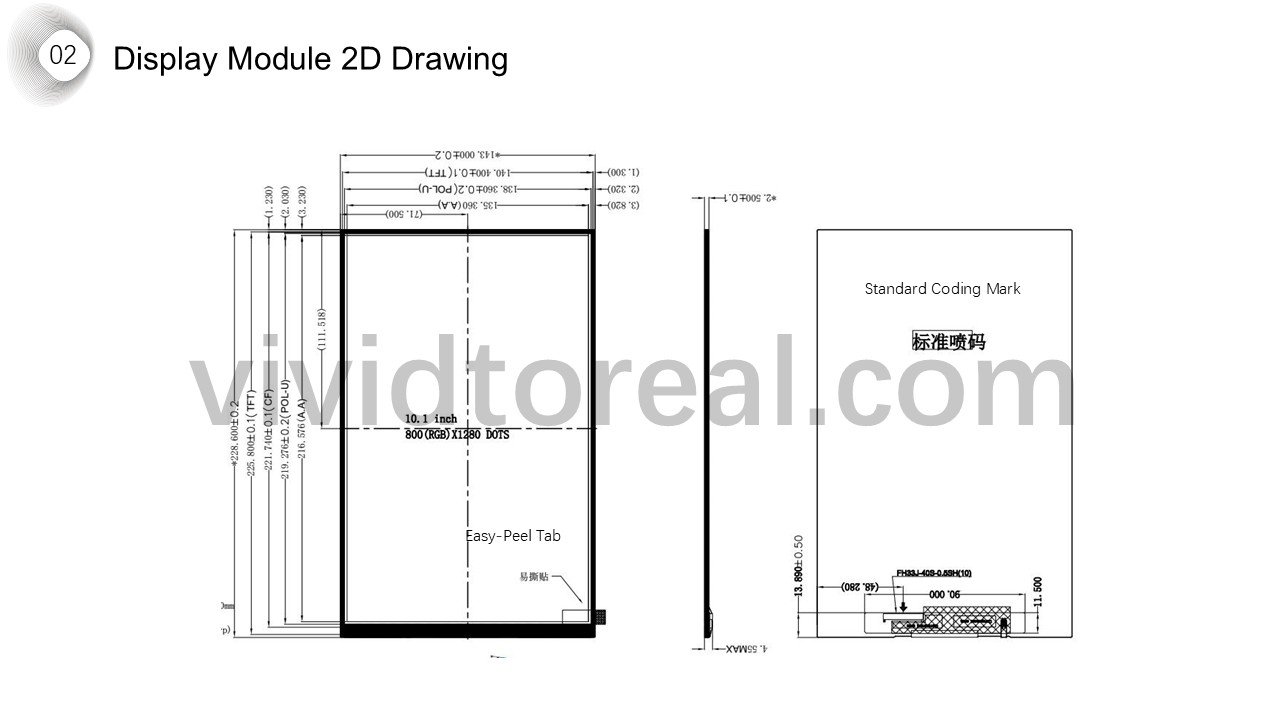
The display and mainboard set the envelope for this 10.1-inch tablet. The drawings follow their stack-up through snap-fit placement, camera alignment and final housing assembly.
Owen Wen · Past engineering project · Anonymized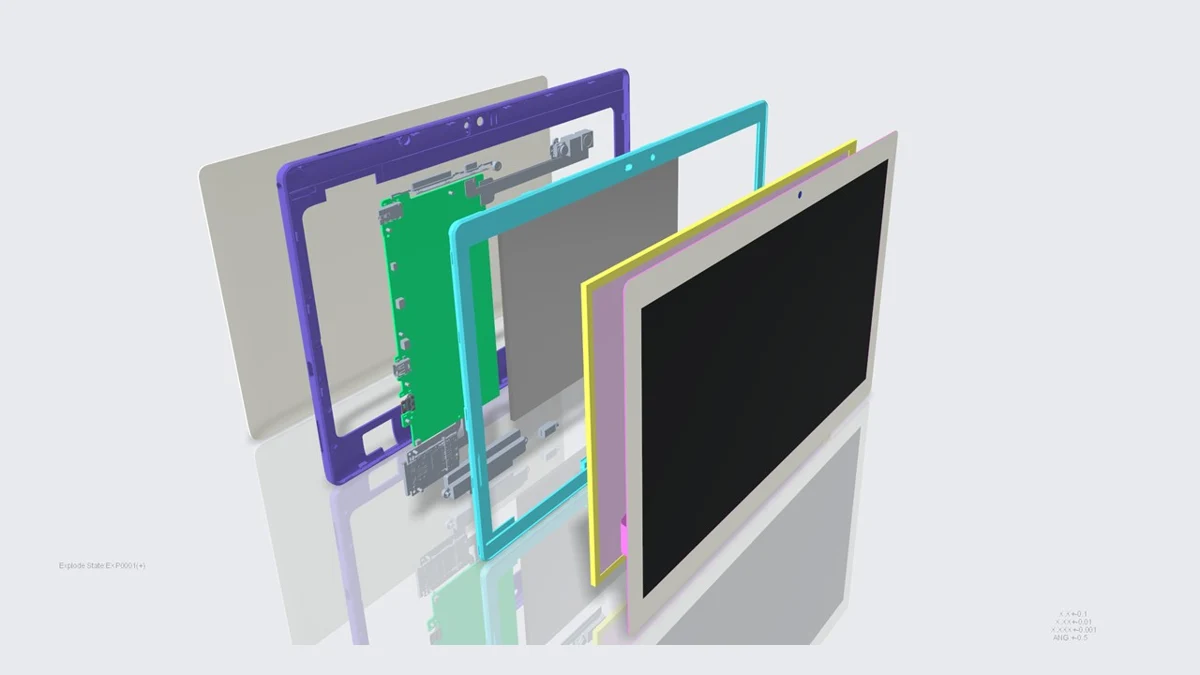
Drawing index
How does the enclosure locate the display?
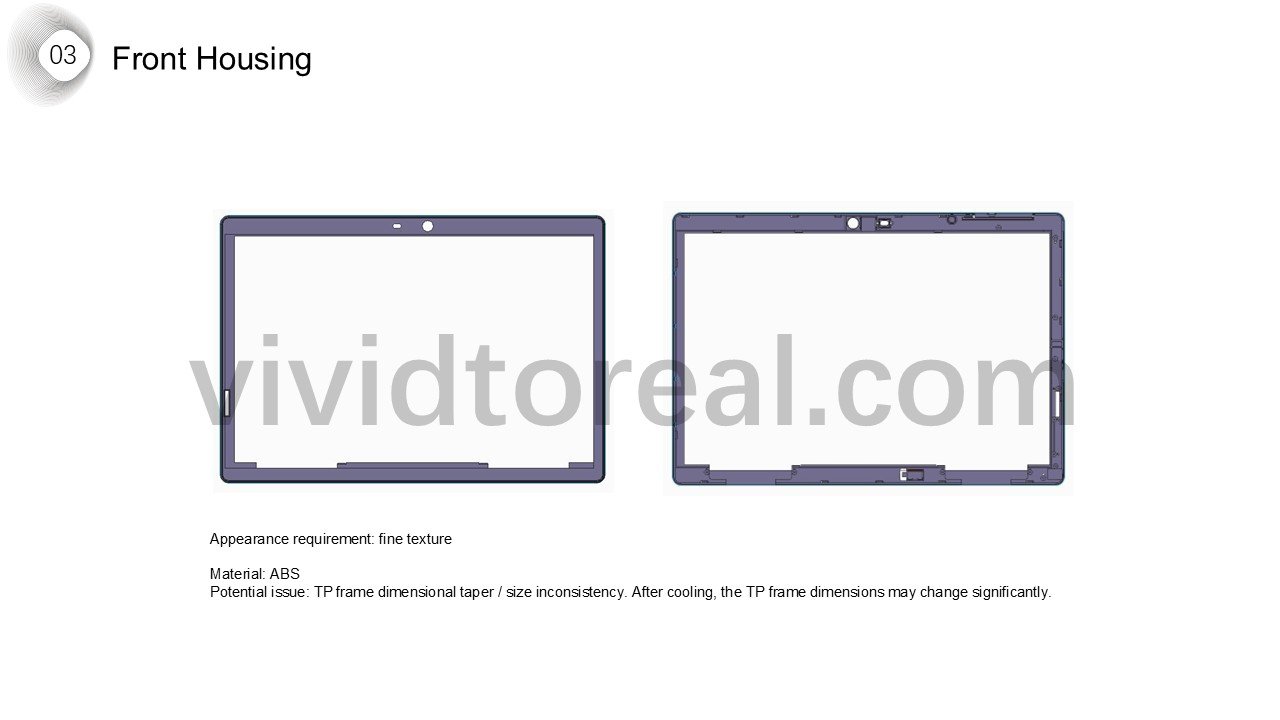
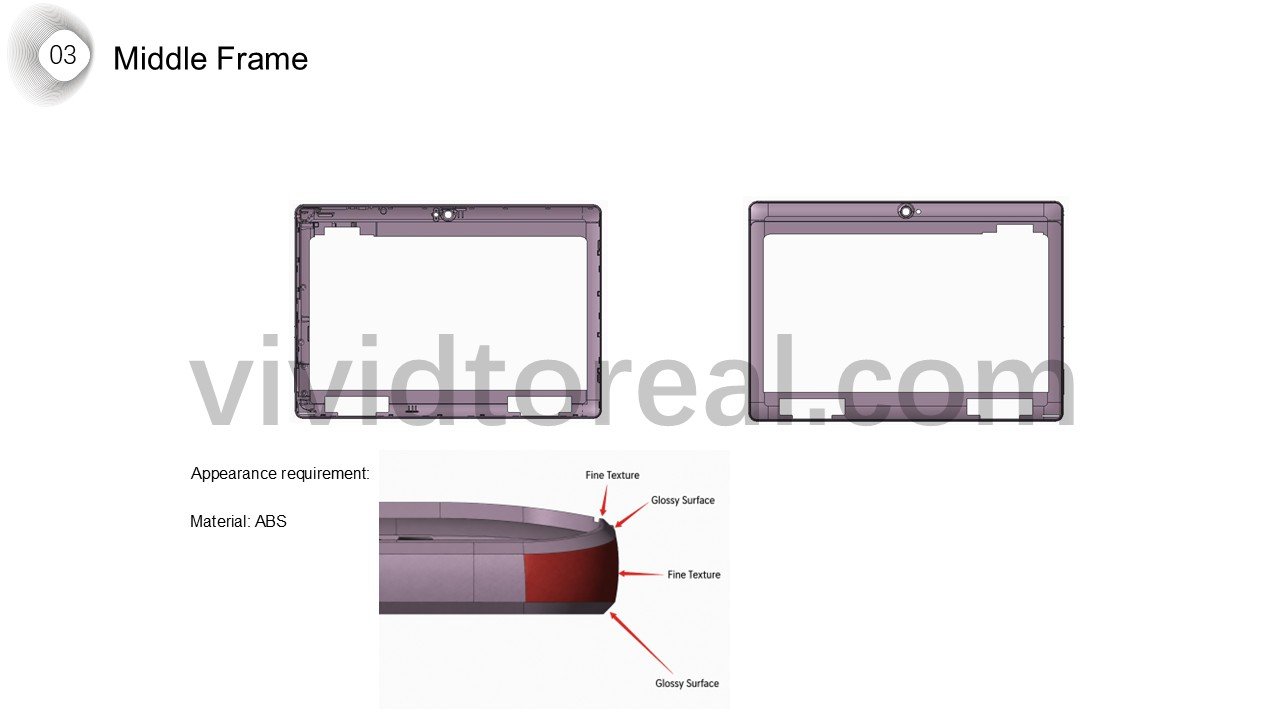
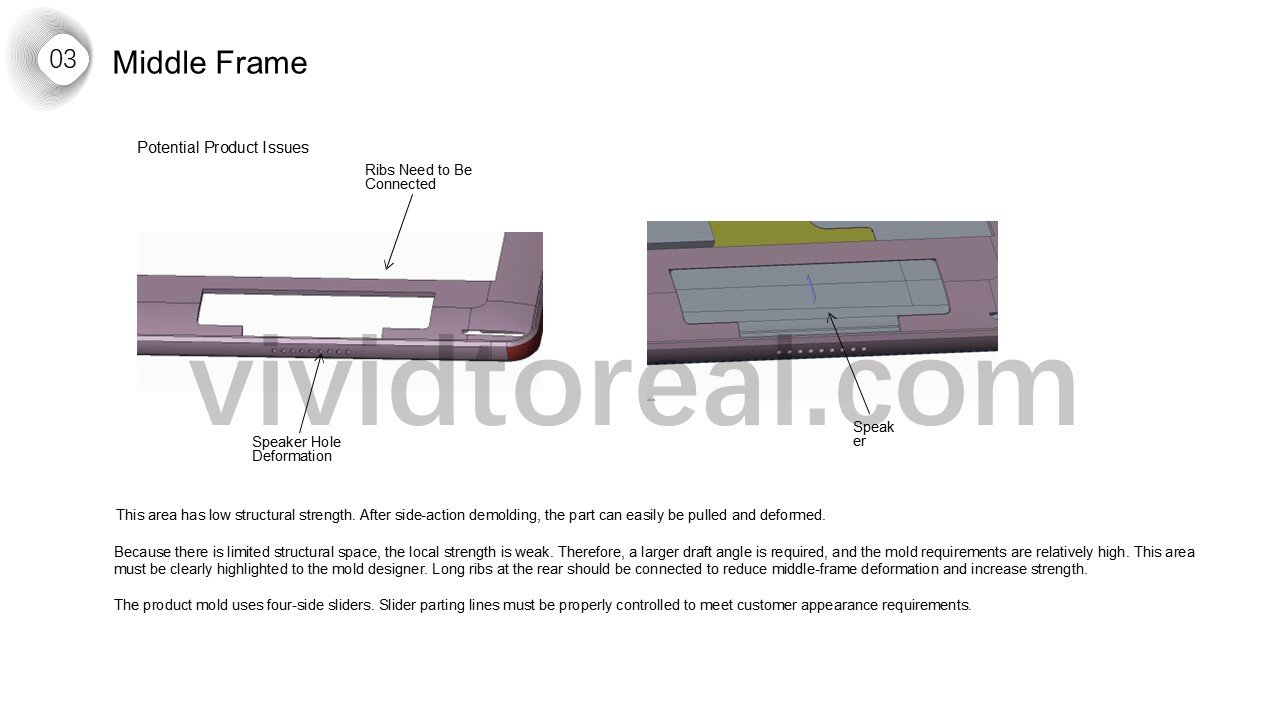
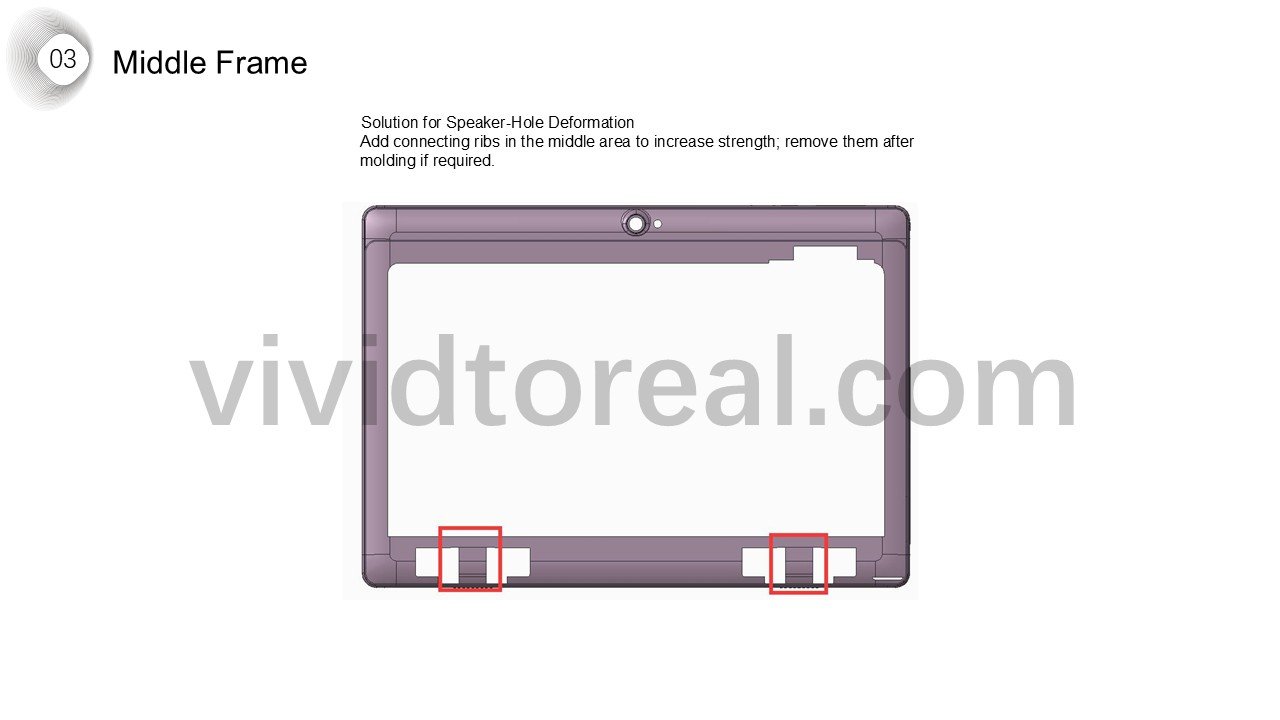
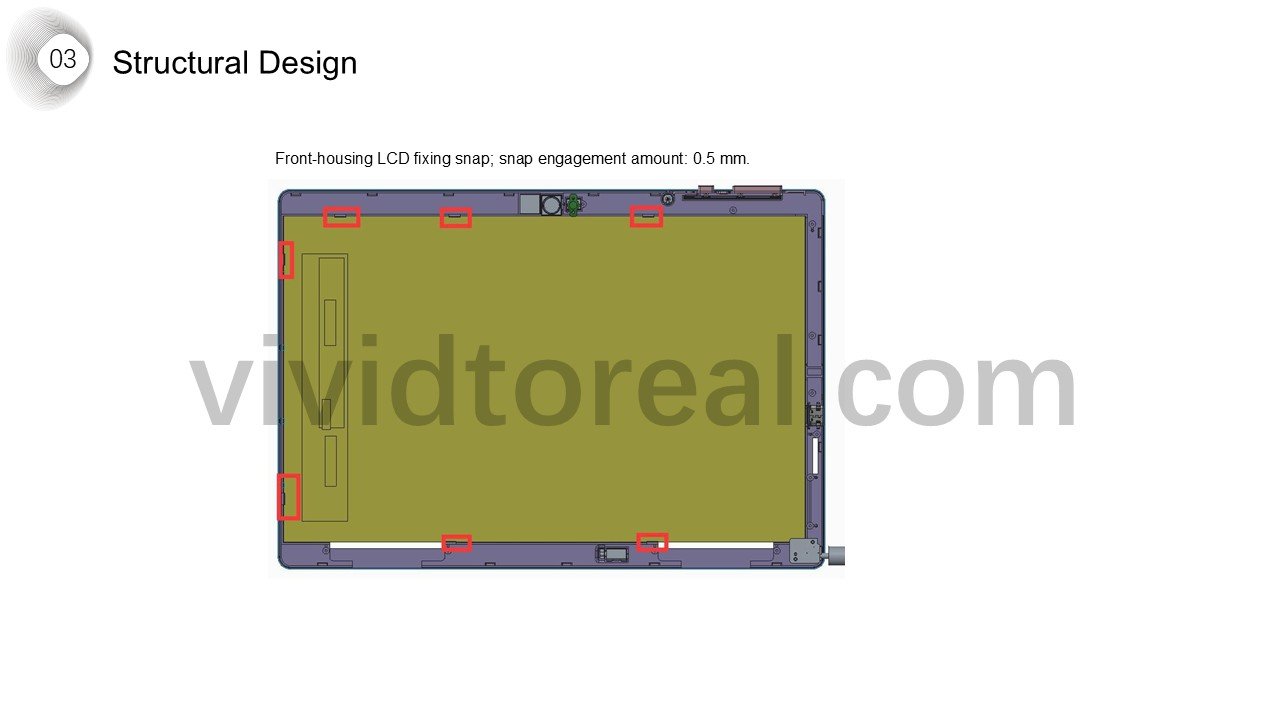
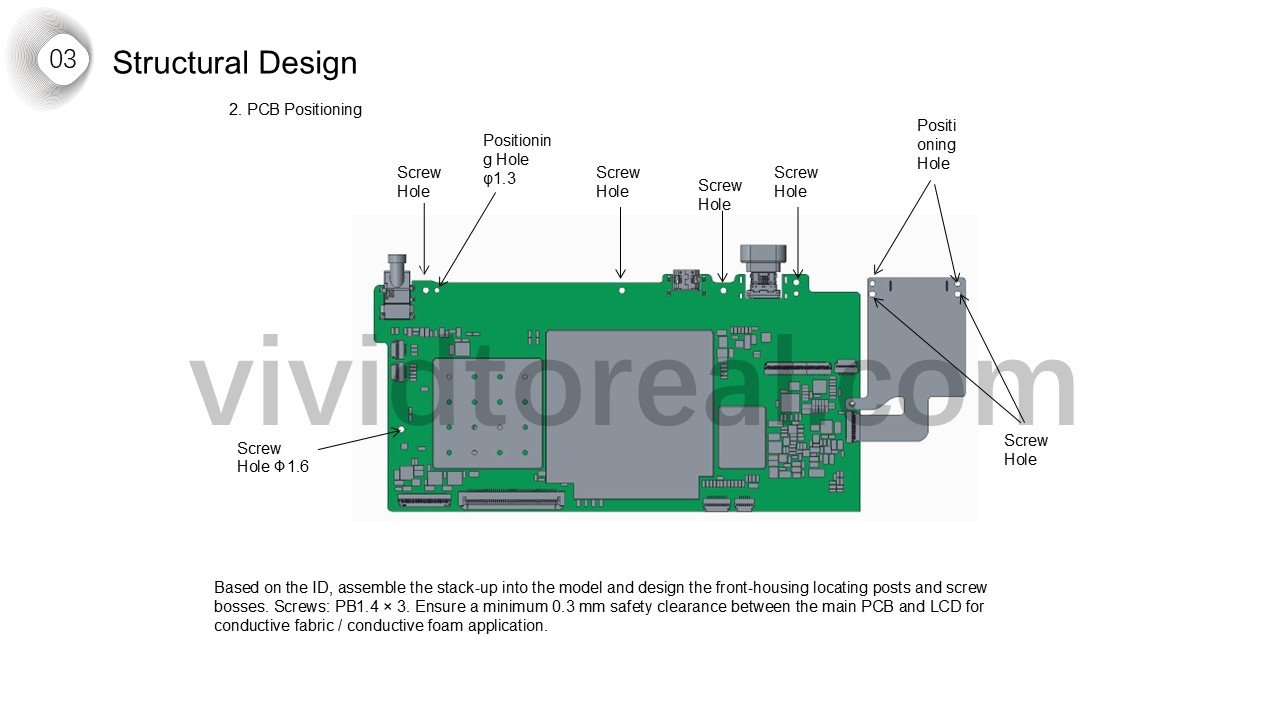
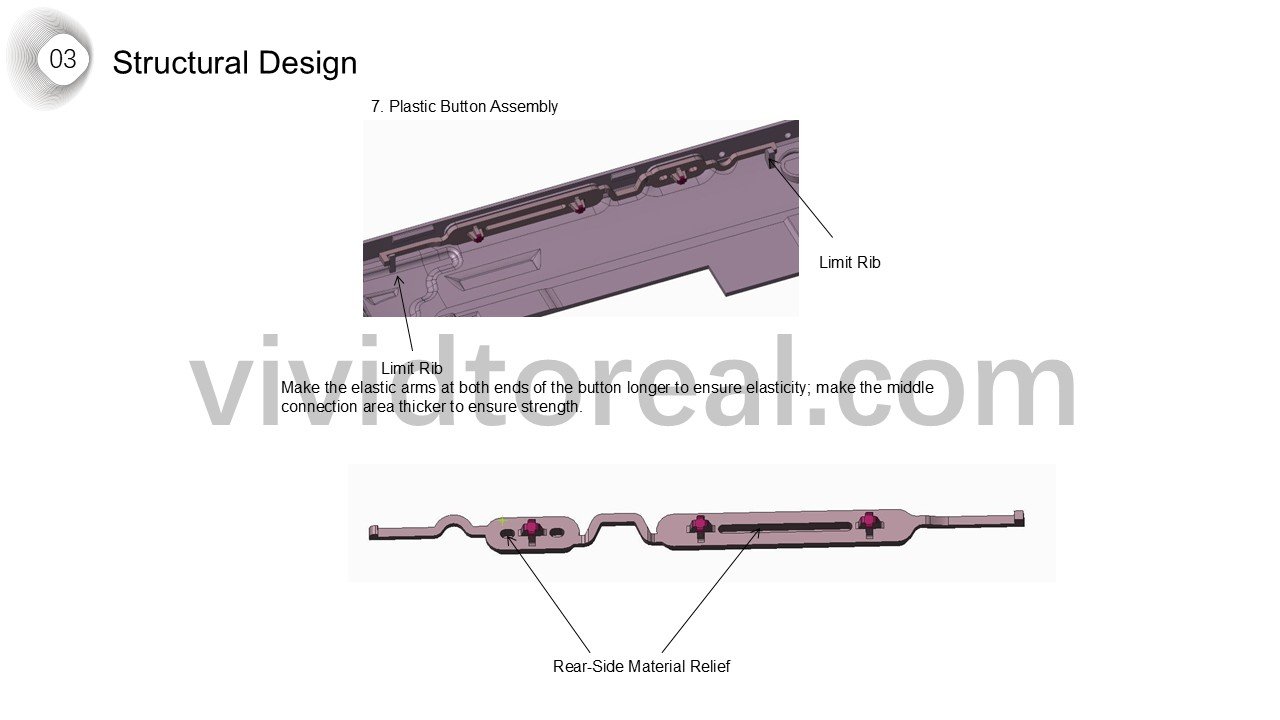
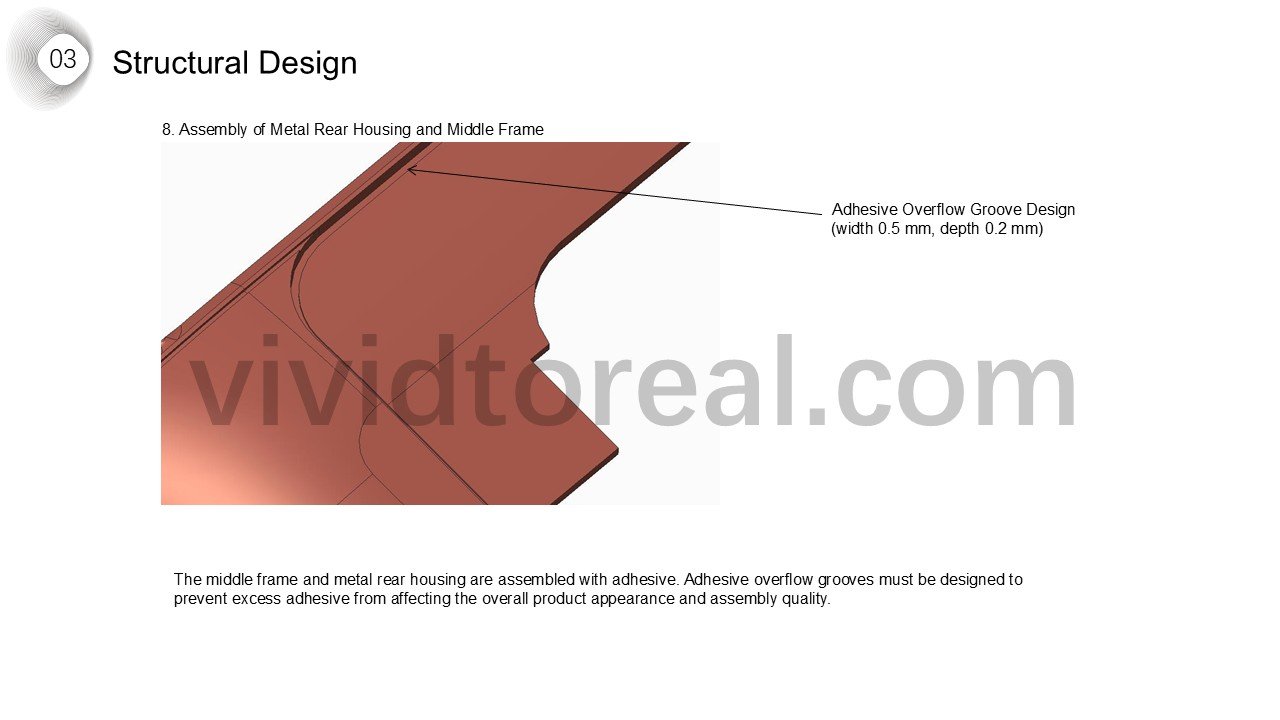
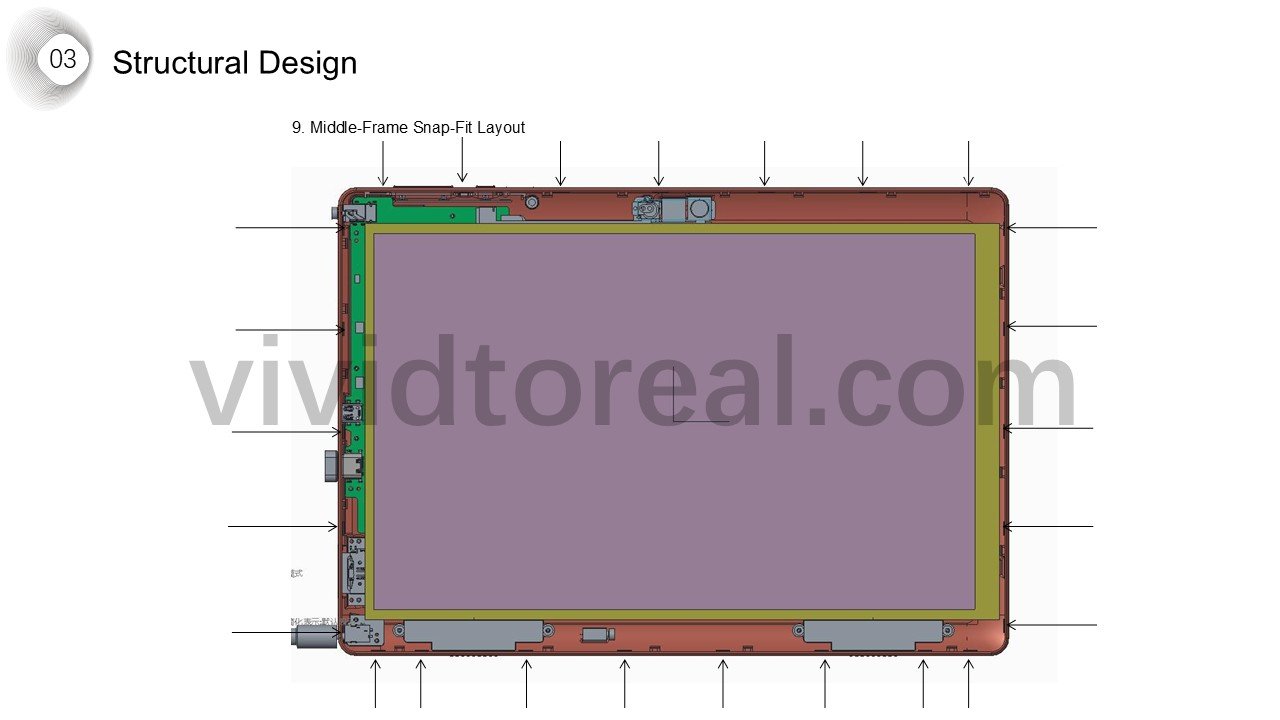
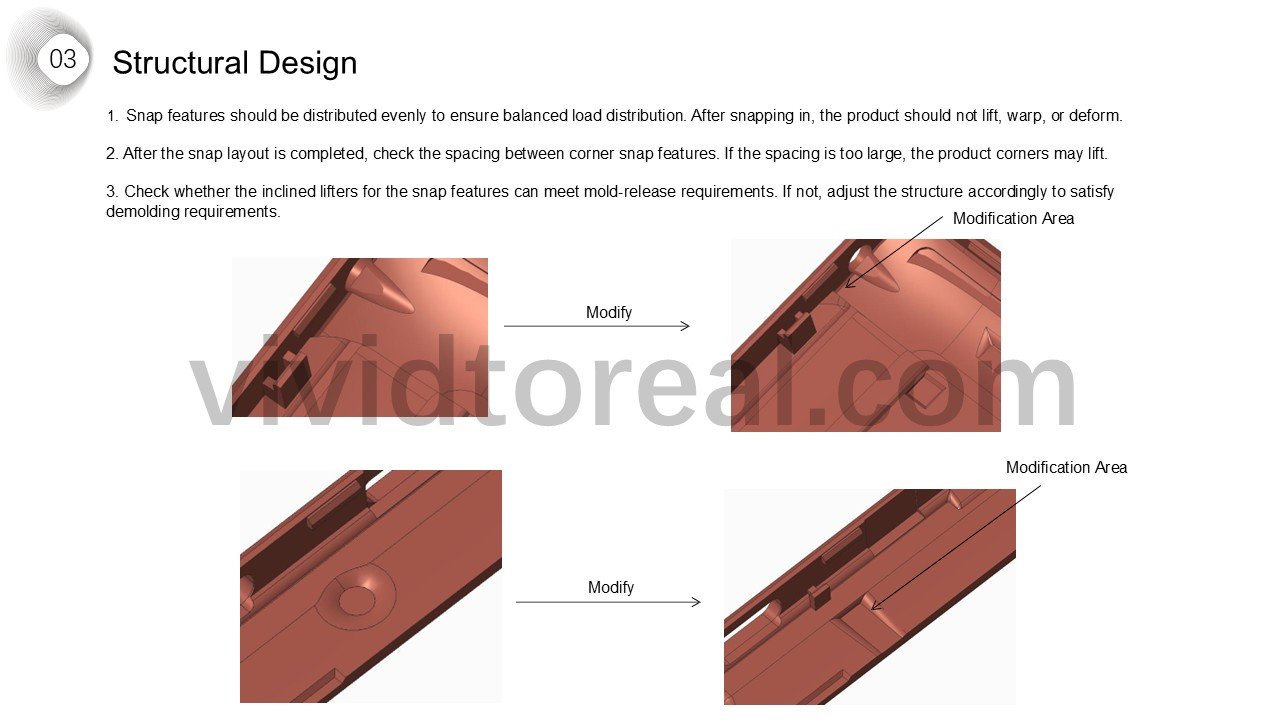
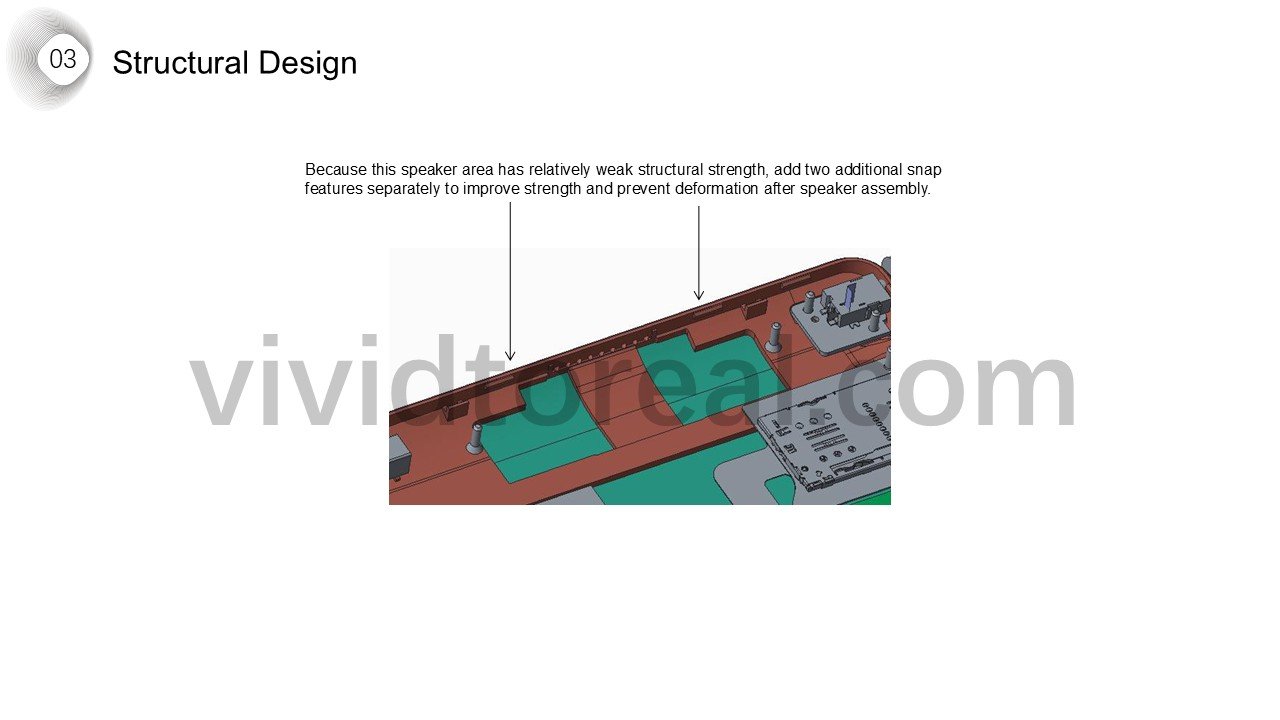
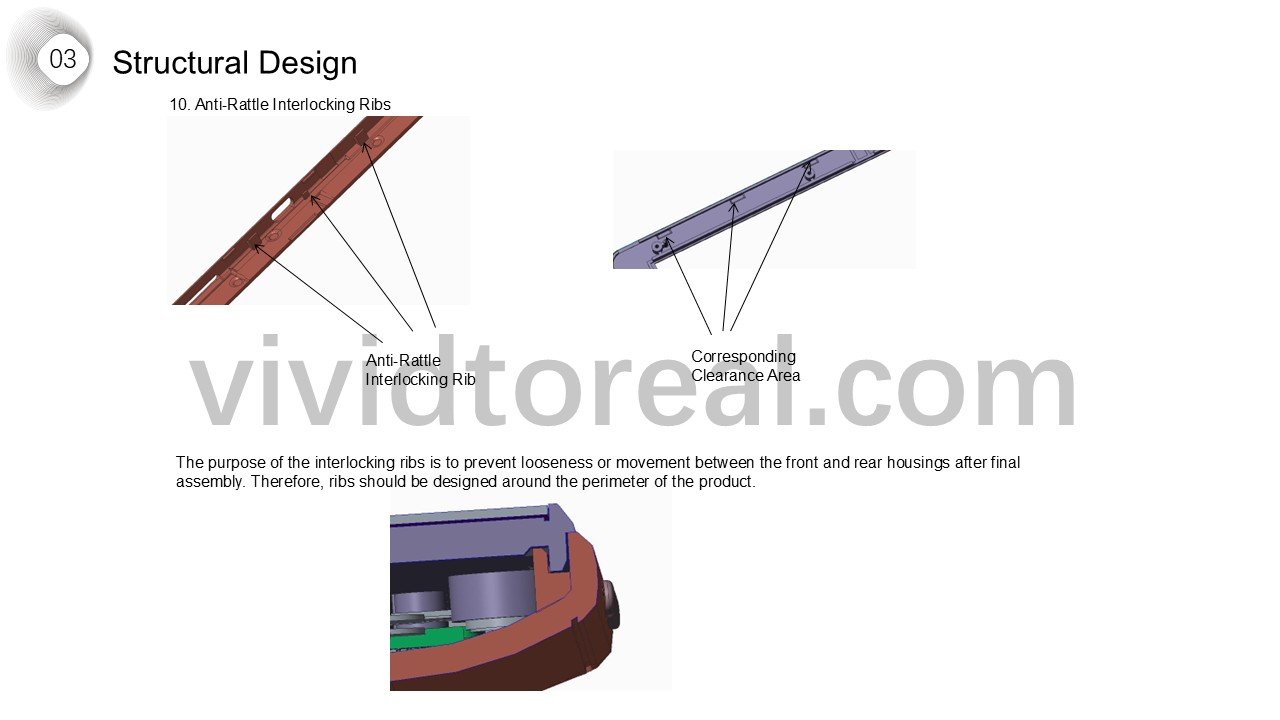
The front housing uses snaps to retain the LCD, while the midframe locates the board and joins the metal rear housing. The drawings show the snap spacing at the corners and interlocking ribs used to limit rattle.
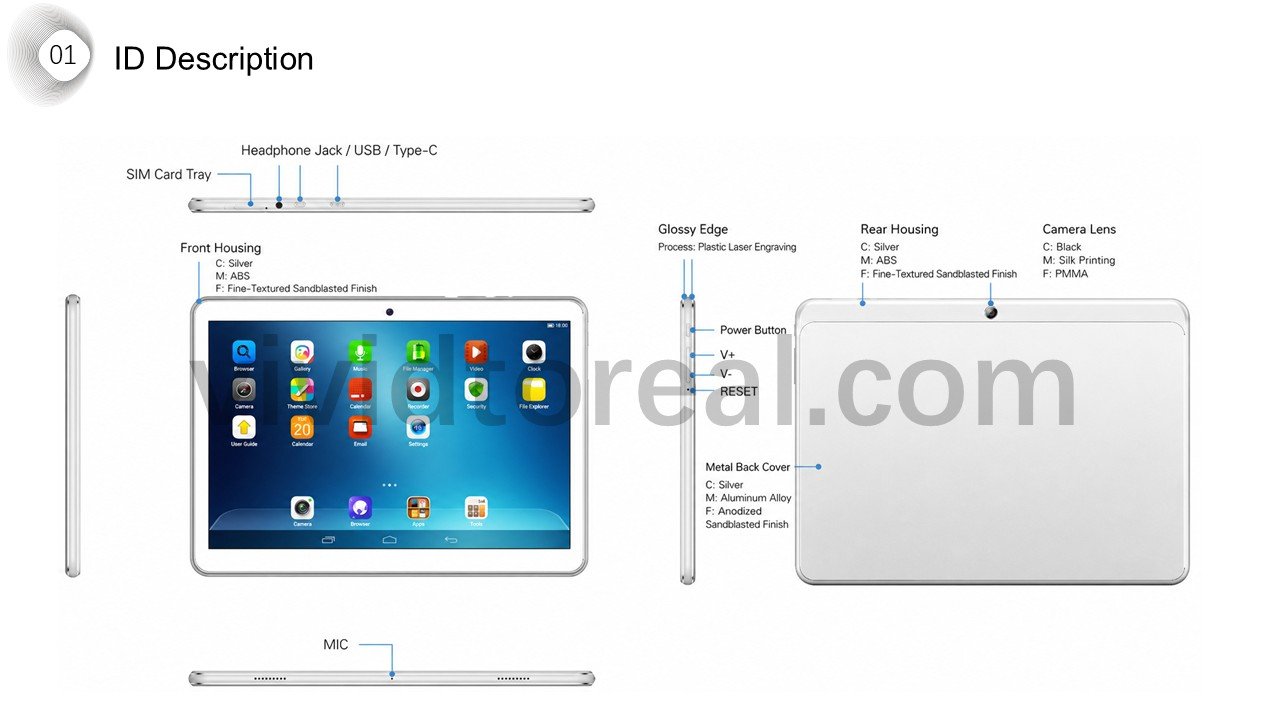
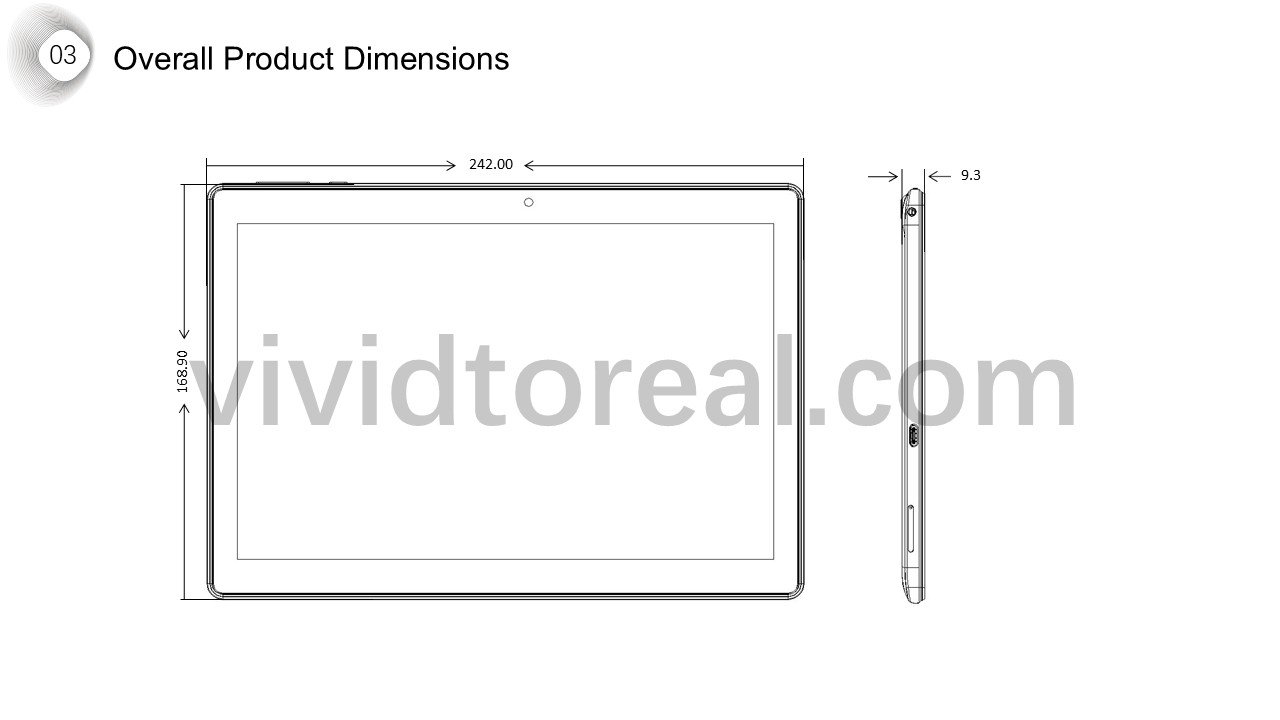
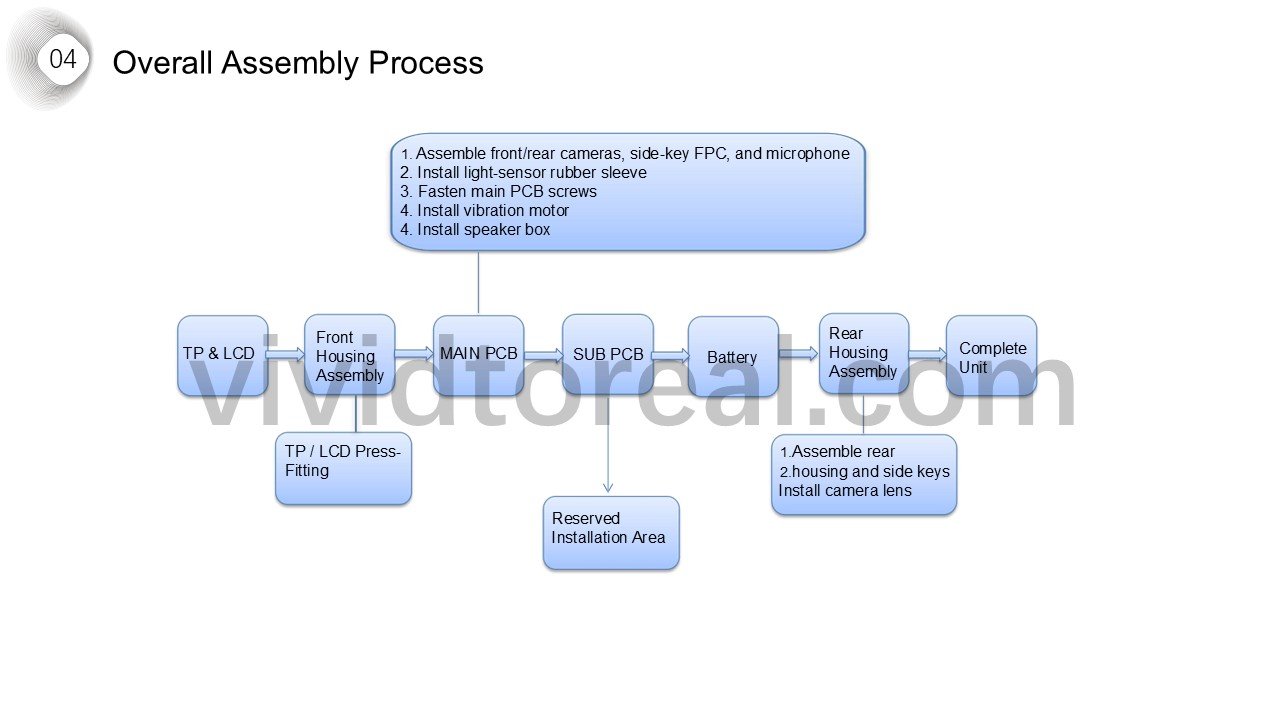
The front and rear views establish the tablet outline. Inside that perimeter, the display stack sets the depth of the front housing and the LCD snaps retain the screen. The assembly sequence shows when these parts come together.
See drawings Corner spacing of snap features · Anti-rattle interlocking ribs
Follow the design Front and rear industrial design · Display and electronics stack-up · LCD retention snaps · Final assembly sequence
Industrial design and dimensions
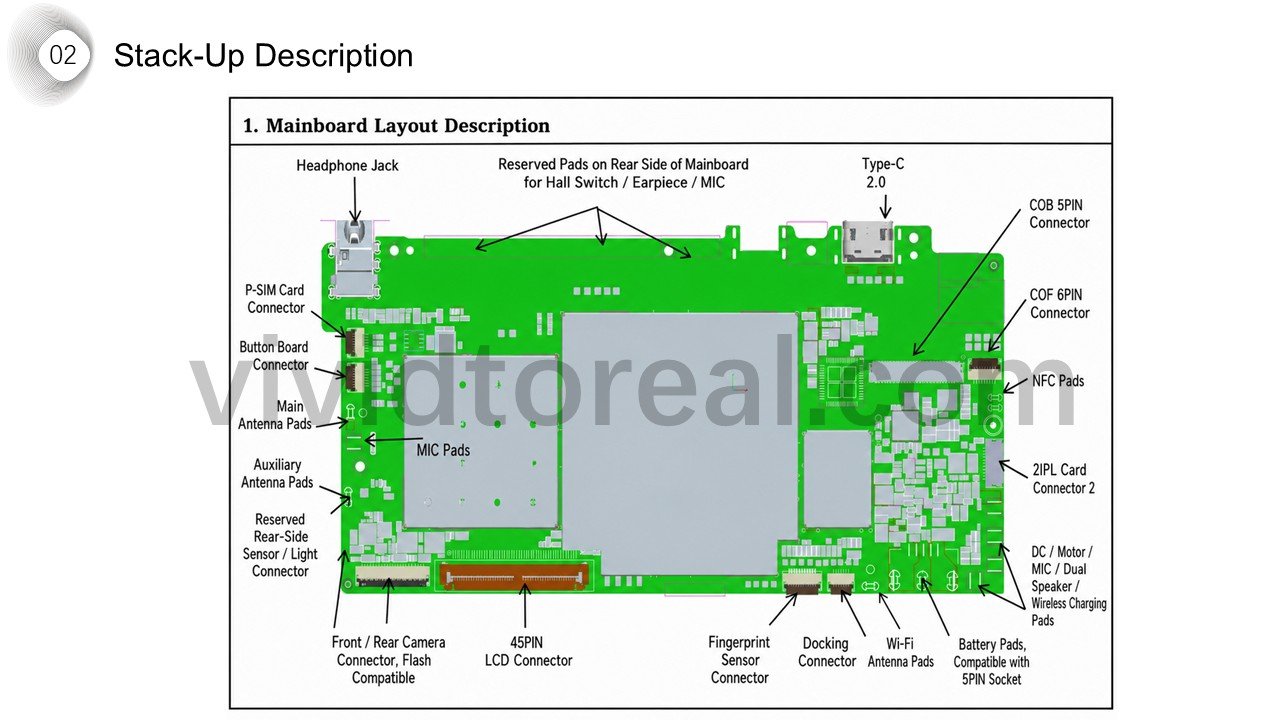
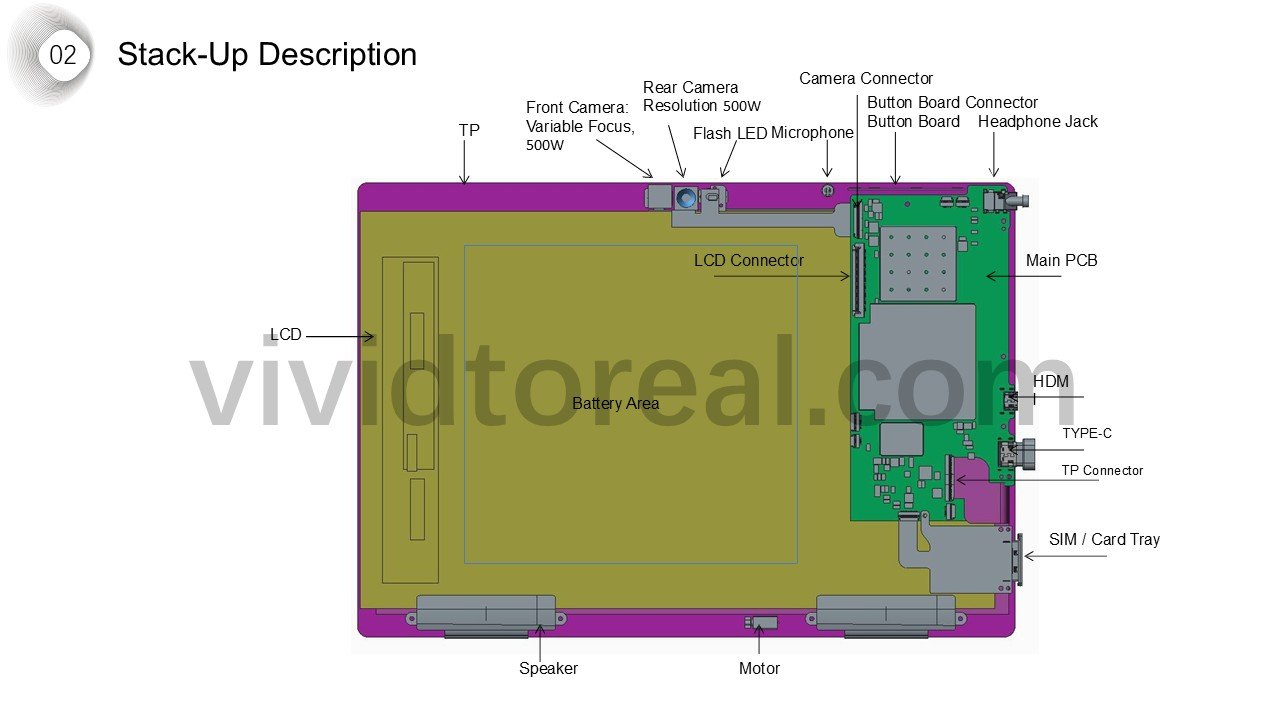
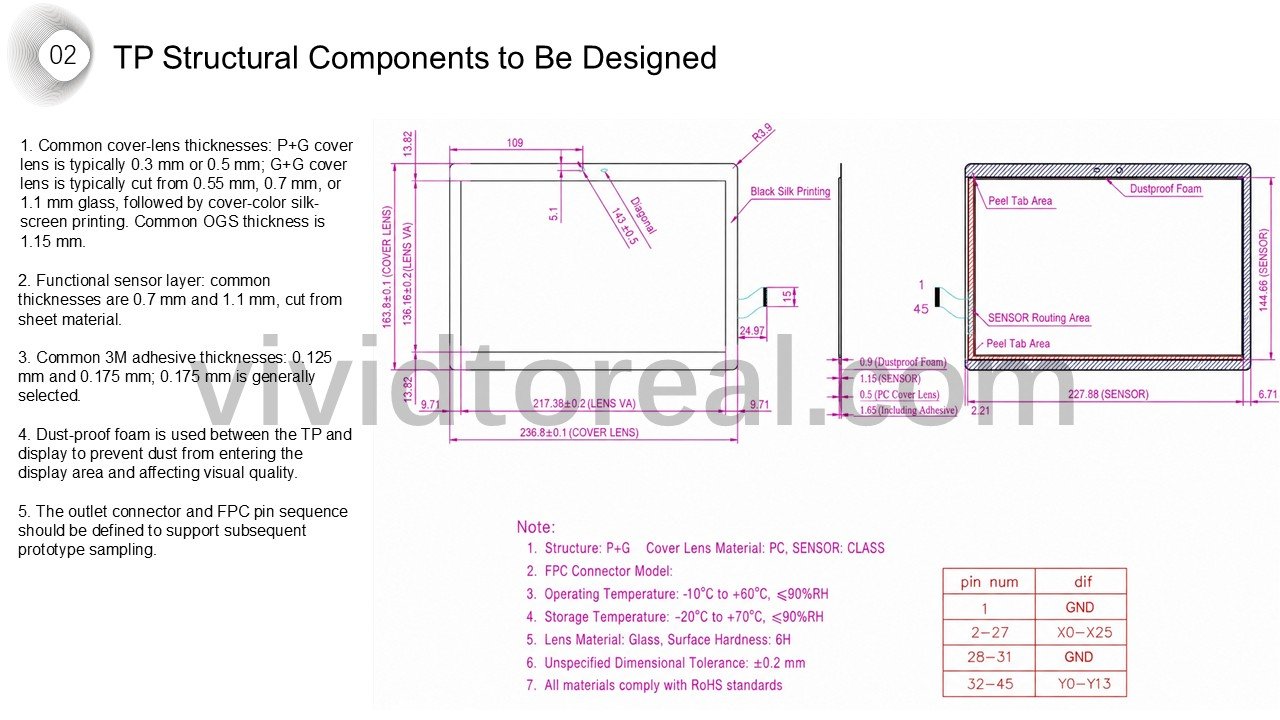
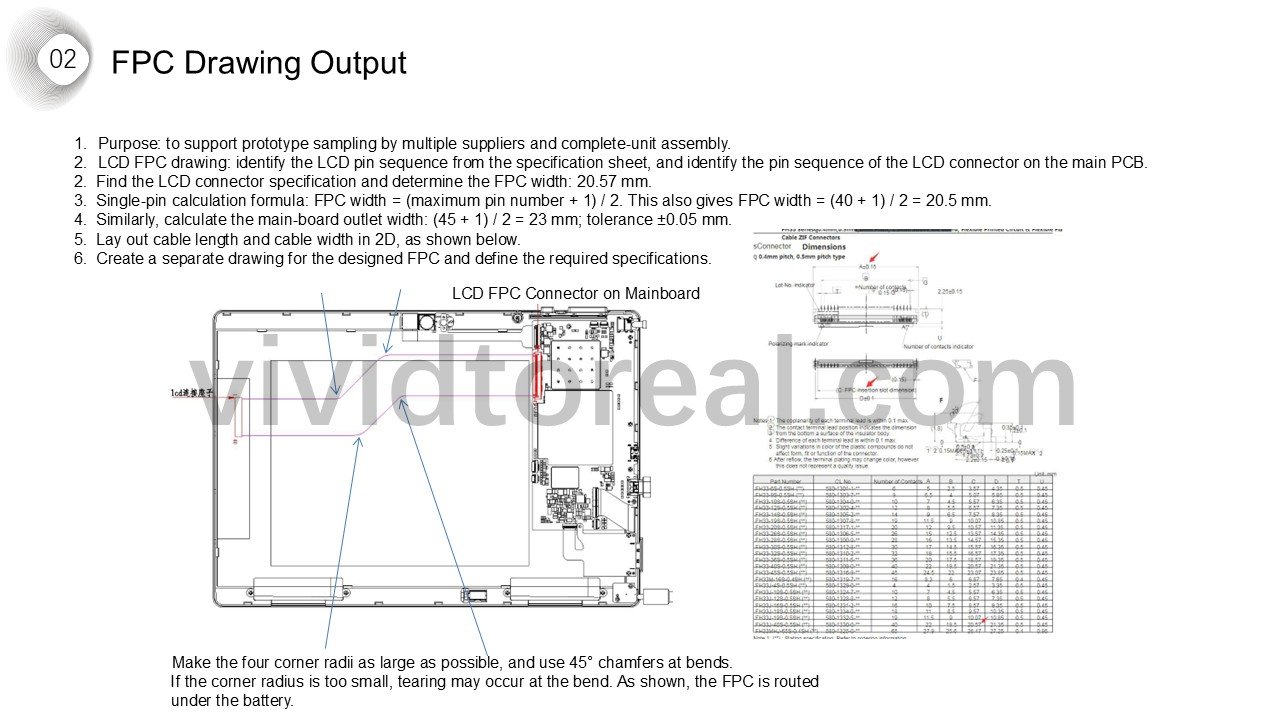
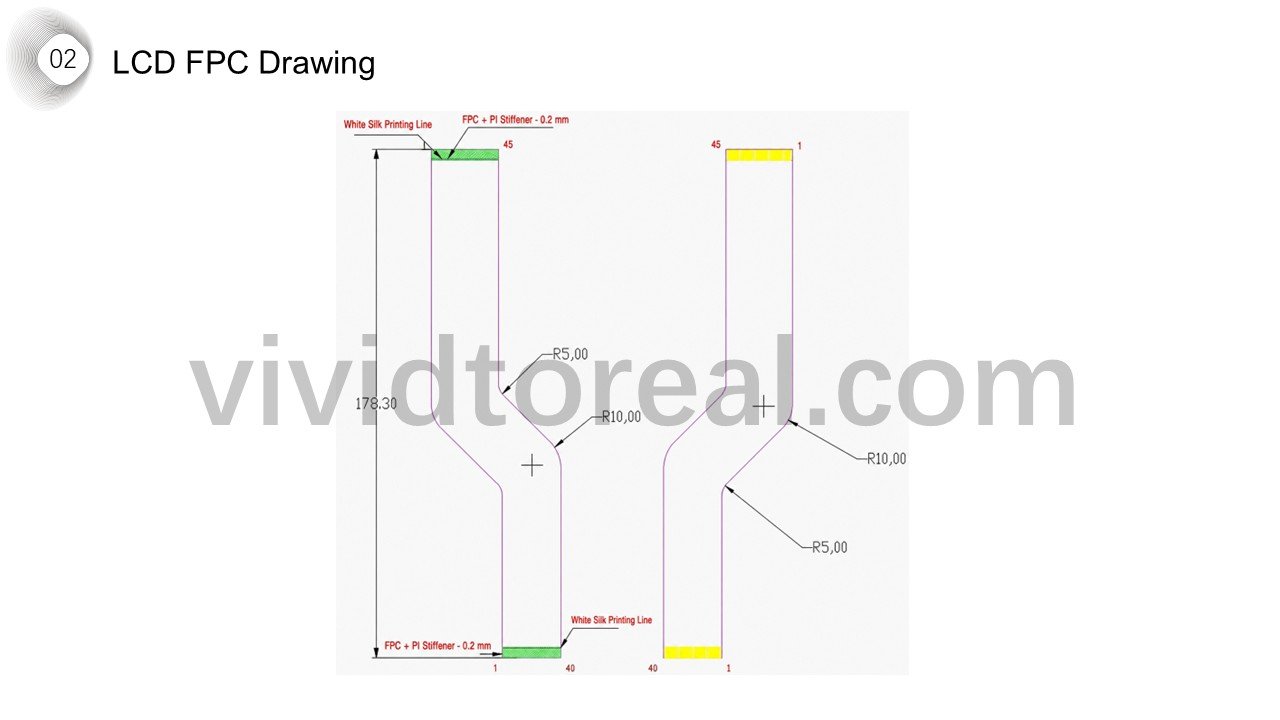
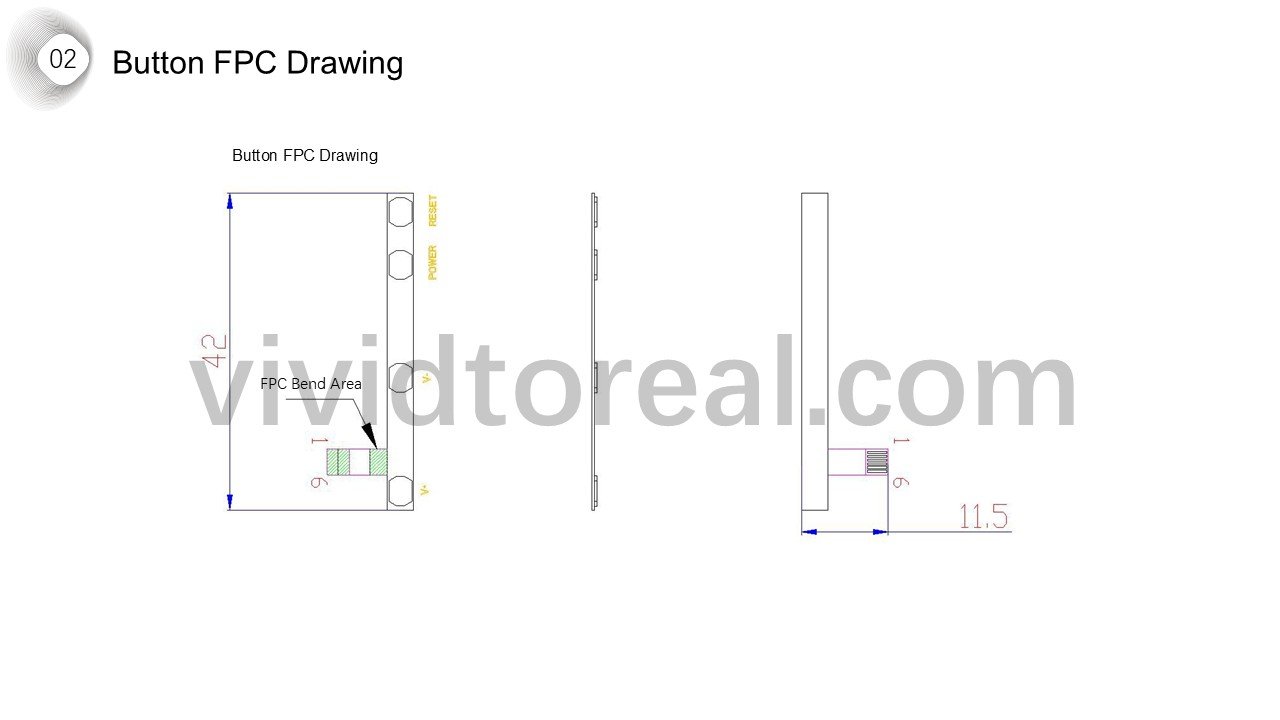
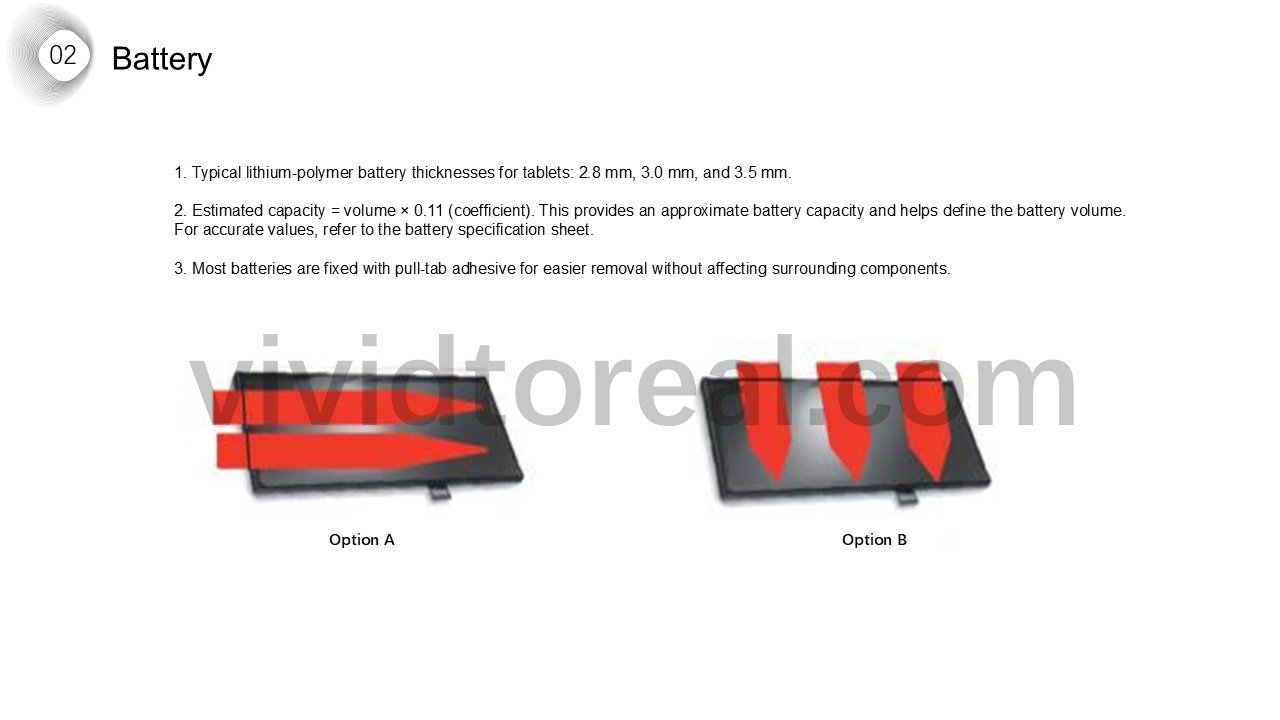
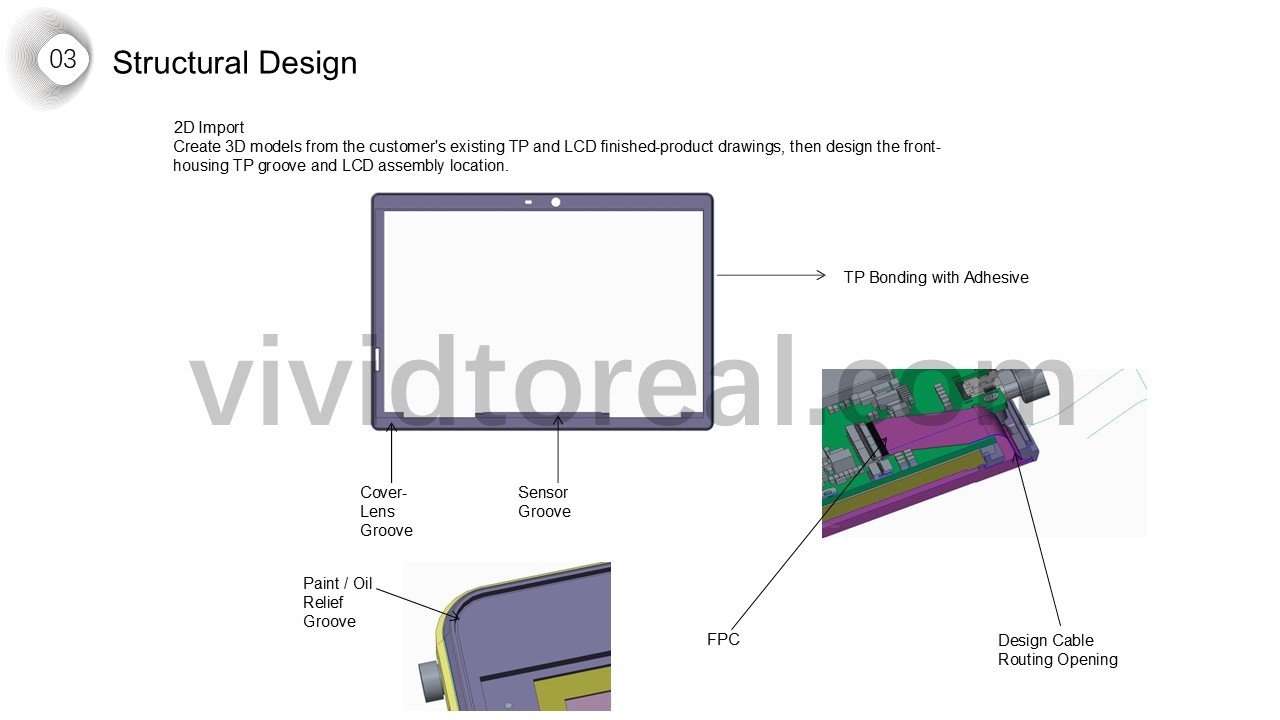
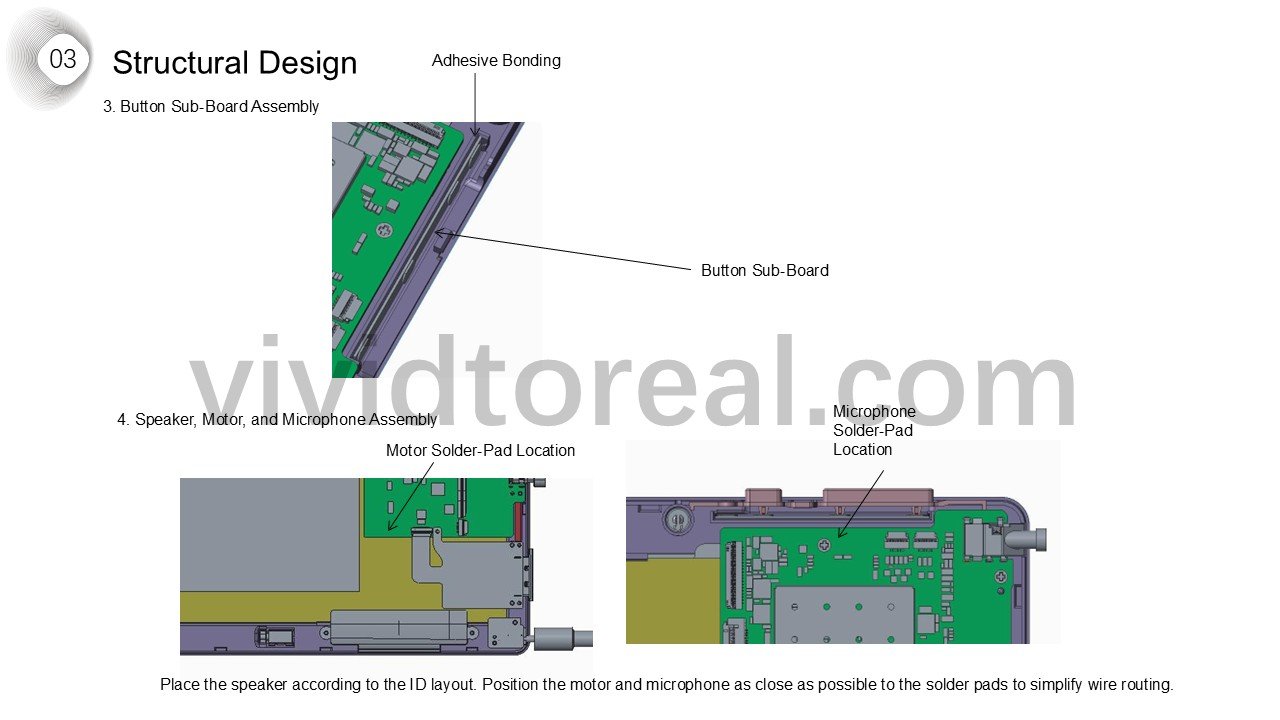
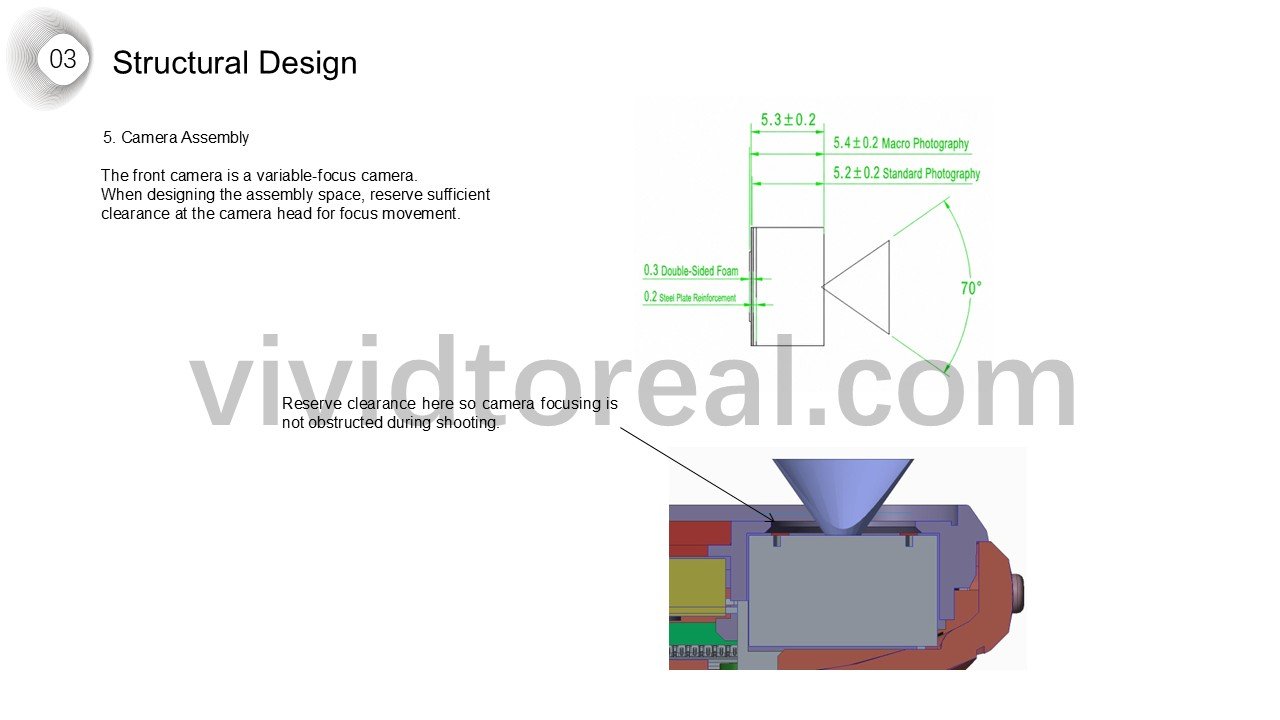
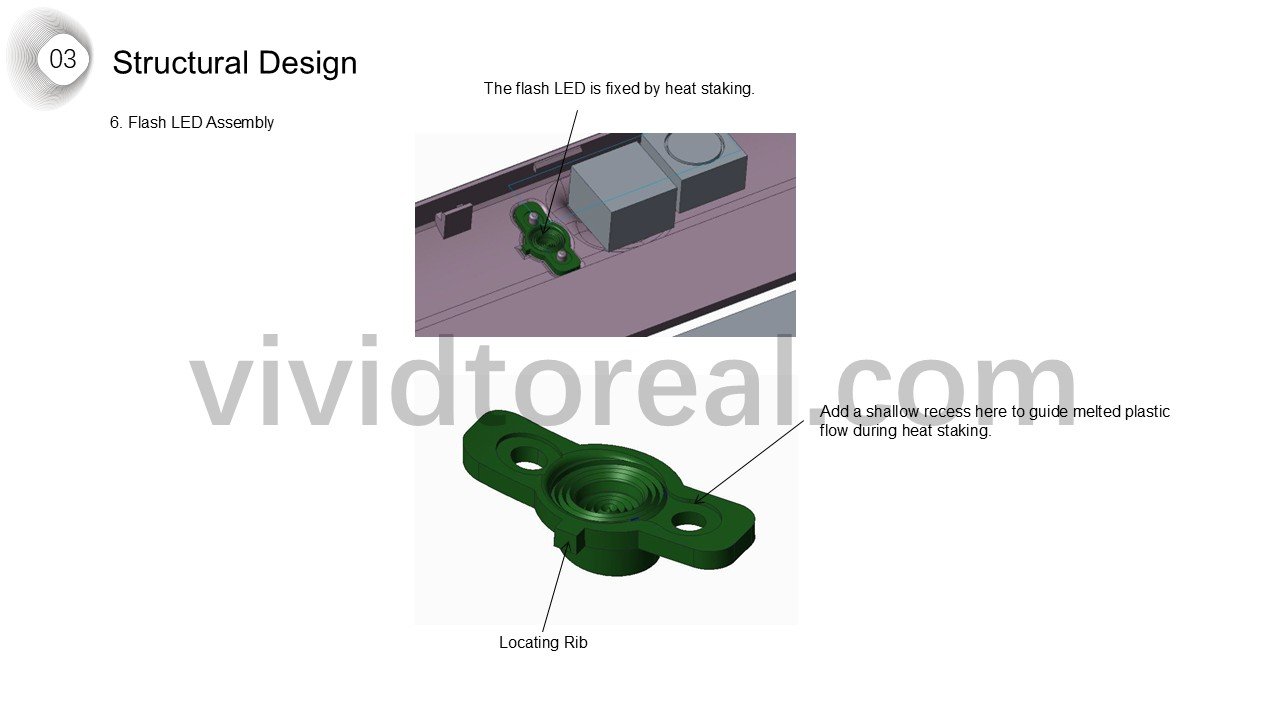
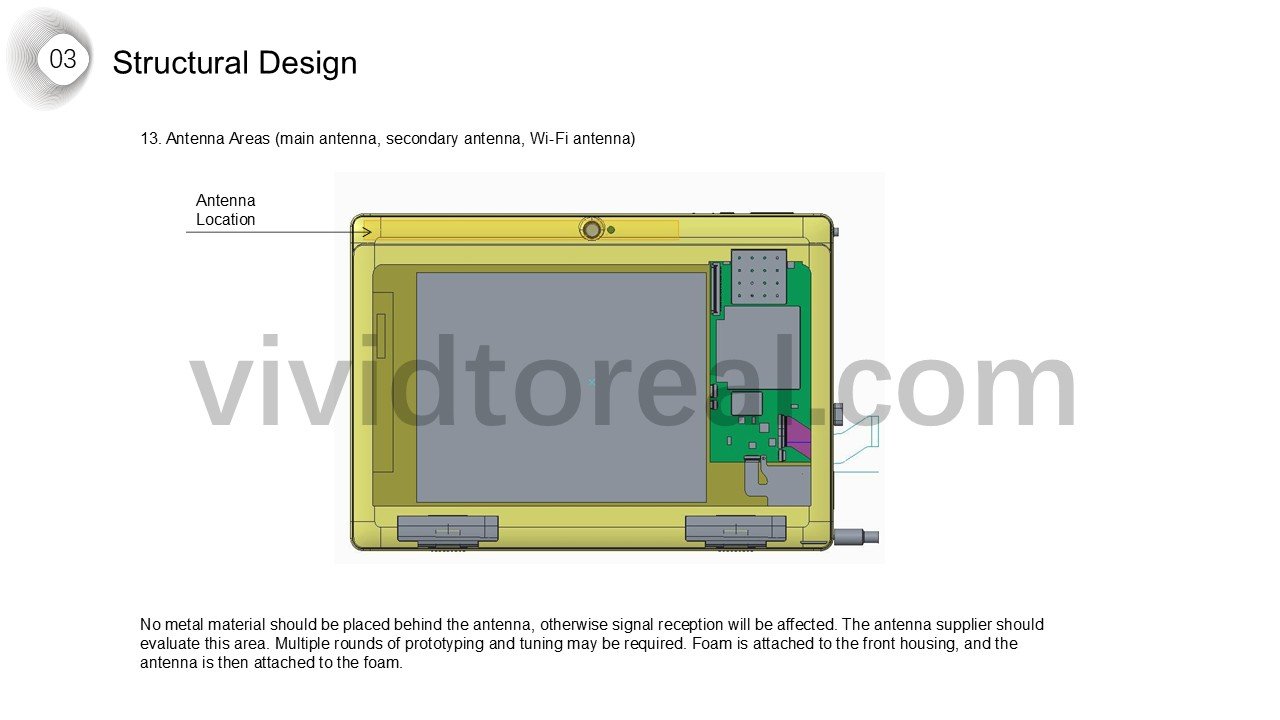
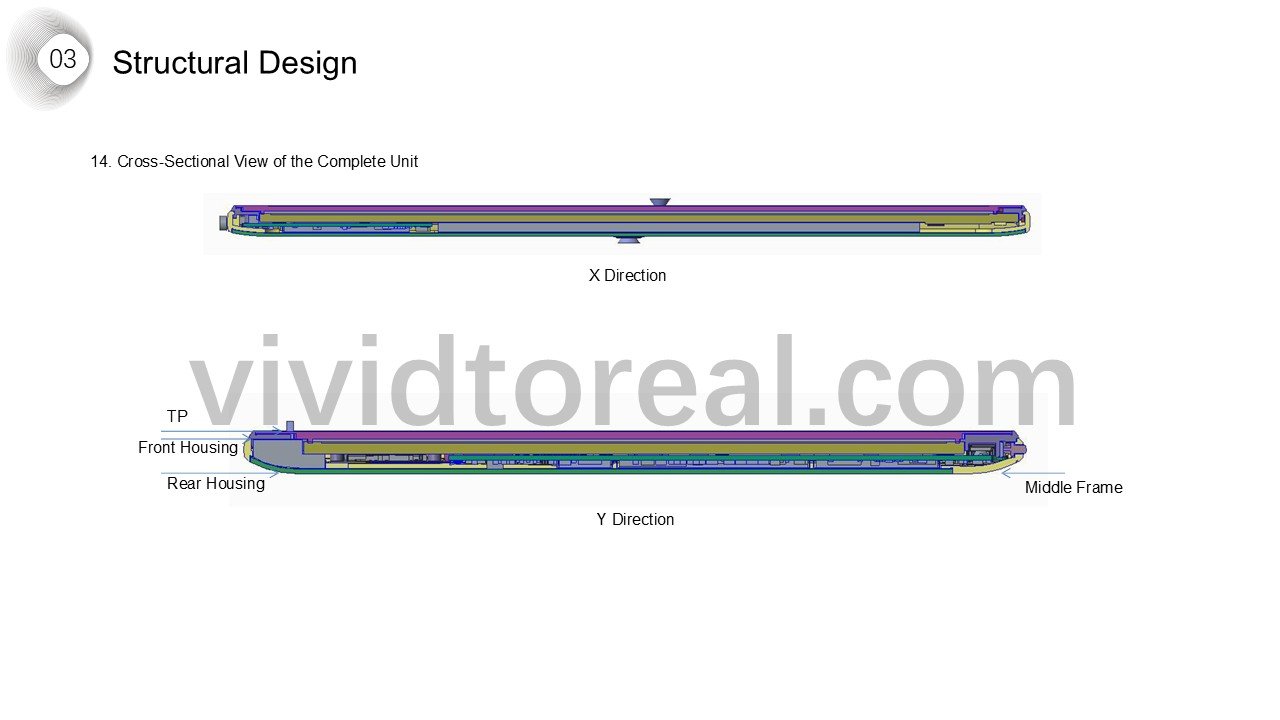
Display and electronics stack-up
Structural Design
Overall Assembly Process
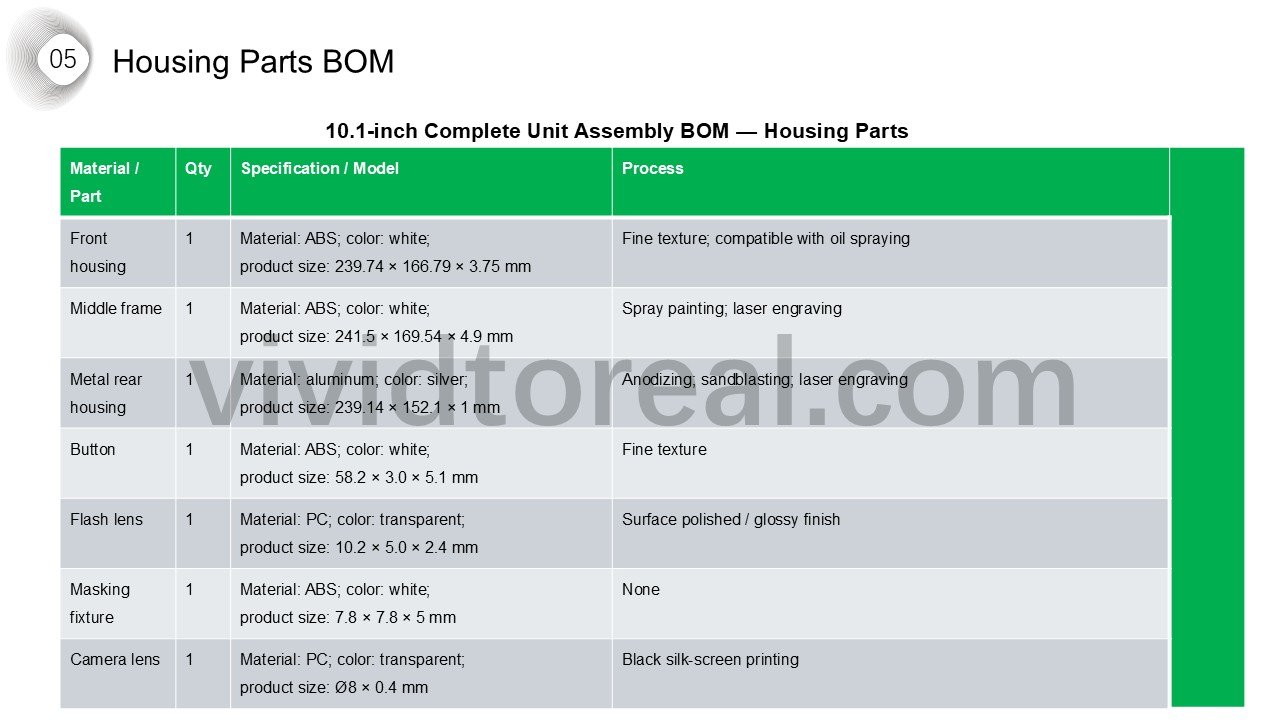
Housing bill of materials